Organize, secure, and manage all documents in one place with version control, collaboration tools, and compliance tracking.
Secure Documents
Versions, roles & access
Capabilities
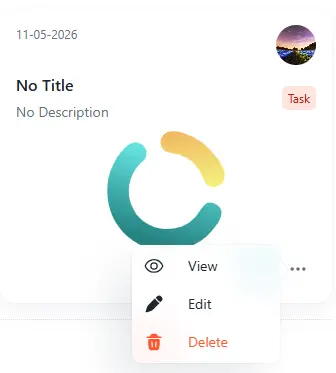
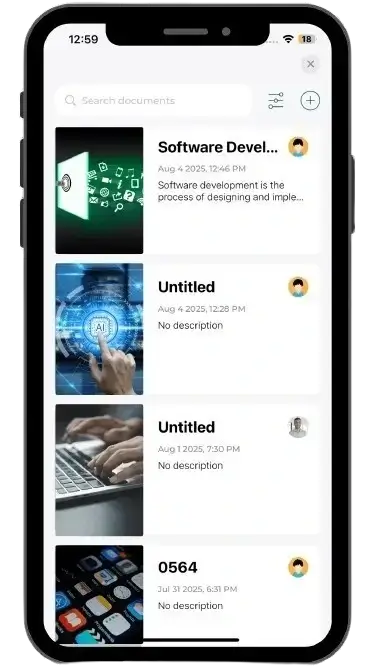
View all documents in a clean card-based library with search, document type filters, cover previews, dates, owners, and quick actions for view, edit, share, or delete.
Document Search
Find documents quickly by title or contentDocument Type Filter
Filter documents by type such as Book or TaskCover Preview
Identify documents visually with cover imagesQuick Actions
View, edit, share, and delete documents
Documents organized
Search, filter, and manage quickly
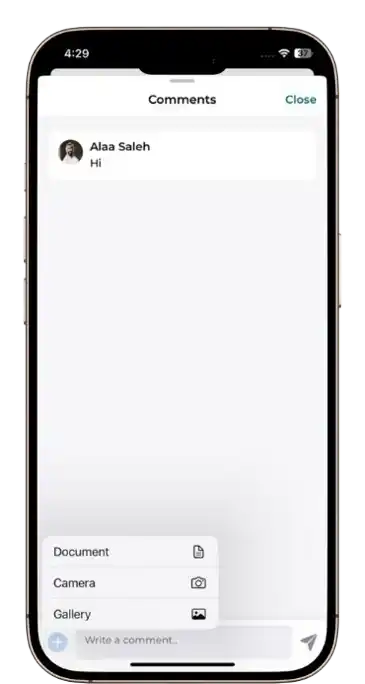
Mobile users can scan, view, search, and comment on documents while full document creation and editing remain controlled from the web dashboard.
View documents
Open and read shared documents from mobile.Scan access
Open linked documents quickly when needed.Comment on documents
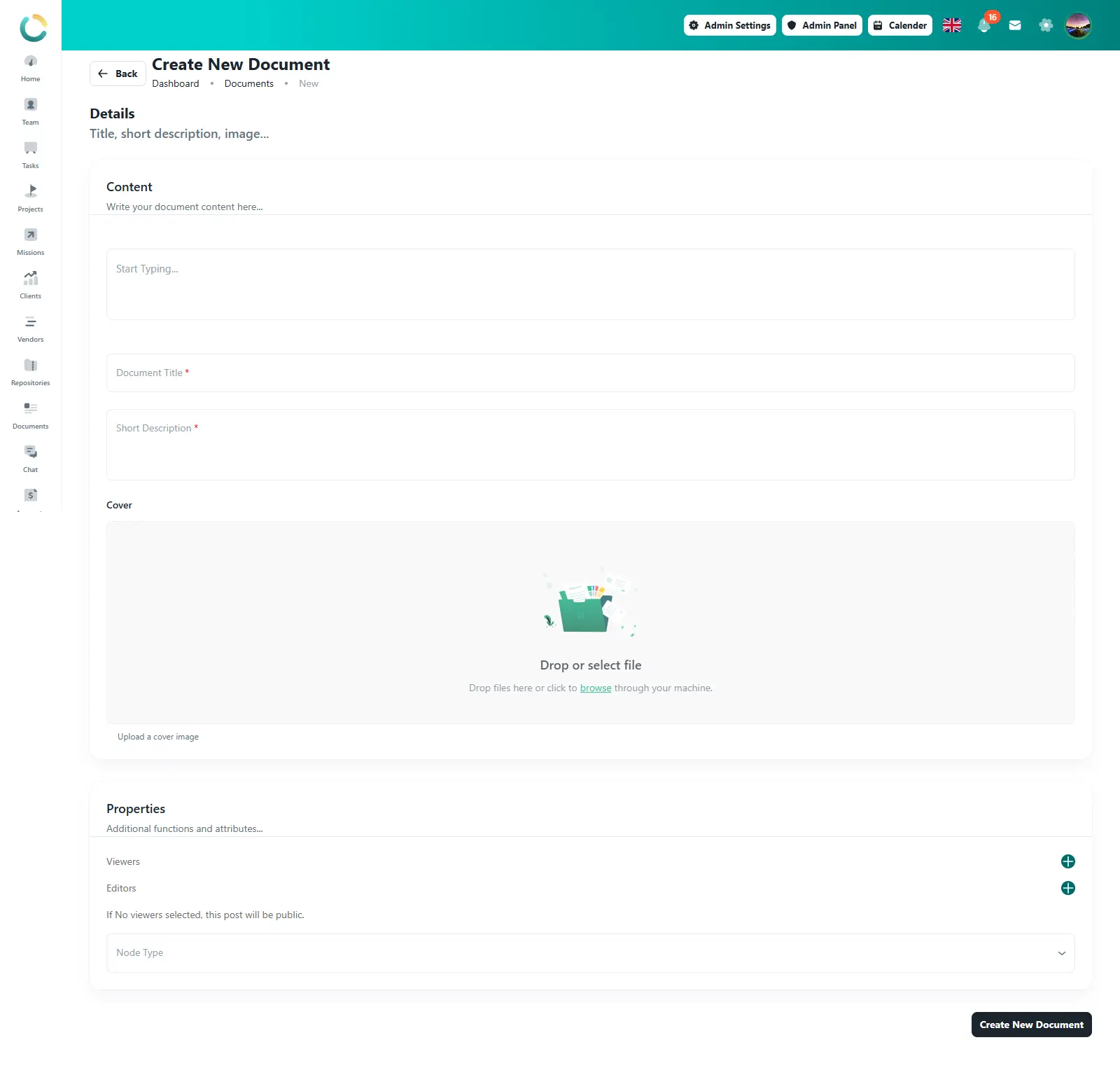
Add comments and review notes from mobile.Build structured documents using a rich content editor, title, short description, cover image upload, document type selection, and document properties. Document creation and full editing are controlled from the web dashboard, while published documents can still be accessed from mobile.
Rich Content Editor
Write and format document content from webCover Image Upload
Add a visual cover for each documentDocument Type
Classify documents using selected typesWeb-only Creation
Create and fully edit documents from web only
Web editor ready
Create and fully edit from web
Assign viewers and editors for every document, keep document creation controlled, and make sure the right users have the right level of access.
Viewers
Choose who can open and read documentsEditors
Allow selected users to update document contentPermission Control
Manage document access per userAccess Clarity
See who has access before sharing
Access controlled
Viewers and editors assigned
Users with view or edit permission can open and review assigned documents from mobile. If editing is required, the full document editor remains available from the web dashboard only.
View with permission
Users can open documents they are allowed to access.Access-based visibility
Mobile shows documents according to viewer or editor access.Web-only editing
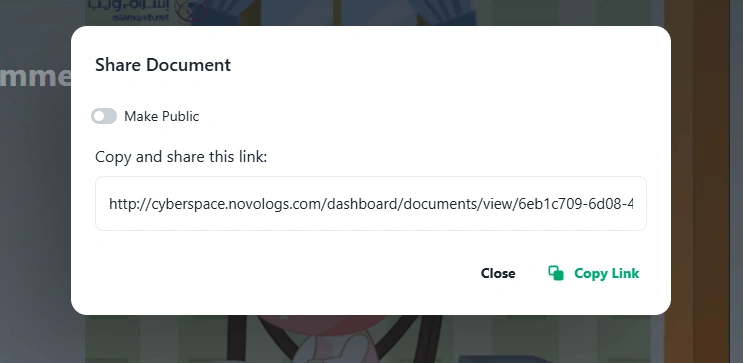
Full document editing is controlled from the web dashboard.Generate shareable document links, choose whether a document is public or private, and copy the link directly from the web dashboard. Link sharing setup is controlled from the web version.
Public Link
Enable public access when wider sharing is neededPrivate Link
Keep document access private when public sharing is offCopy Share Link
Copy the document link directly from the share panelShared View
Open shared documents in a clean readable view
Link ready
Public or private sharing link
Keep documents connected to the work they belong to. Add, attach, view, and manage related documents inside projects, tasks, CRM, vendors, and other business modules from the web dashboard.
Project Documents
Attach documents inside project recordsTask Documents
Keep task-related documents in contextCRM Documents
Connect documents with customers and leadsModule Document Panel
Open related documents without leaving the moduleProject: Website Redesign
Documents attached to this module
Project Brief
Linked to project module
Task Notes
Linked to task module
Module document panel
Create, attach, viewDocuments connected
Available inside every module
Module Docs
Task Documents
Project Brief
Available in module
Task Notes
View from mobile
Access allowed
View onlyDocuments added from the web dashboard can be opened from mobile inside the related module. Creation and full editing stay controlled on the web version.
View module documents
Open documents connected to projects, tasks, and records.Access by permission
Mobile visibility follows the user’s document access.Web-only creation
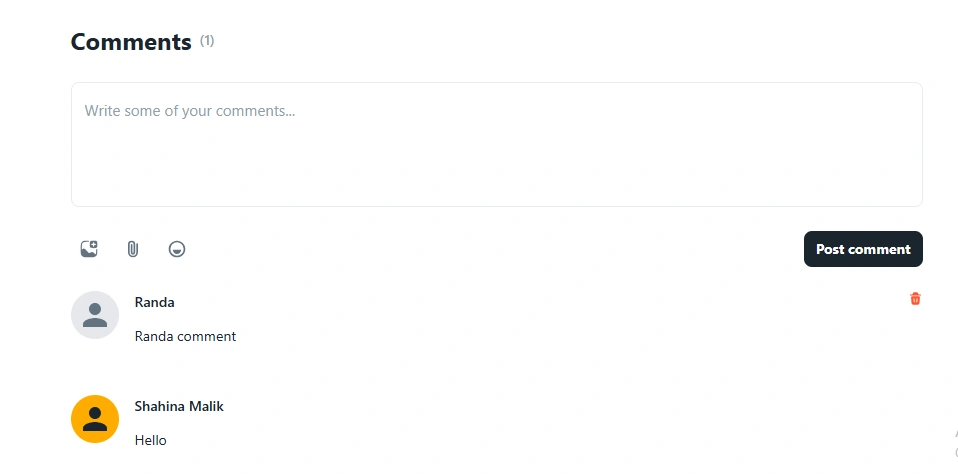
Create and fully edit module documents from web.Mobile users can open assigned documents, scan linked document access, view shared content, and add comments when permission is available. Full document creation and editing remain controlled from the web dashboard.
Scan Access
Open linked documents quickly from mobileView Documents
Read assigned and shared documents on mobileDocument Comments
Add comments and review notes with accessWeb-controlled Creation
Create and fully edit documents from web only
Open Document
MobileView assigned or shared documents from the app.
Scan Access
QuickOpen linked documents using scan-based access.
Comment added
Review note savedMobile comment
Review notes added on the go
Mobile is focused on fast access, scanning, viewing, and commenting. Document creation, rich editing, cover upload, and full access setup remain on the web version.
Read documents
Open and review assigned documents.Scan access
Open linked documents quickly.Add comments
Comment on documents when access allows it.Store, organize, share, and monitor documents securely with centralized access and structured workflows.
Upload business documents, project files, contracts, images, and records into a centralized repository.
Structure documents with folders, categories, tags, departments, and project-based organization.
Share files securely with departments, teams, vendors, and clients using permission-based access controls.
Track document activity, version history, downloads, and audit trails with real-time visibility.
Access folders, business documents, project files, and shared records from one centralized document management workspace across web, iOS, and Android.
Web App
Centralized access
iOS
Mobile document access
Android
Real-time sync
Secure Access
Permission controls
Document Management integrates seamlessly with teams, projects, CRM, vendors, communication, and the entire NOVOLOGS platform.
Store, organize, share, and manage business documents securely with centralized access, structured folders, and real-time visibility across your organization.